¶ HiMill D1S Cannot Connect to Software via USB Cable
¶ Cable Issues
¶ Possible Causes
- Damaged USB cable
- Poor USB interface contact
- Signal attenuation due to excessively long USB cable
¶ Solutions
- Check if the USB cable has obvious damage or disconnection
- Replace with a high-quality USB data cable (original equipment cable or shielded USB cable is recommended)
- Check if the device USB interface and computer USB interface have dust or oxidation
- Try re-plugging the USB cable to ensure a secure connection
- Replace the USB interface (try another USB port on the computer)
- Avoid using excessively long USB extension cables; if necessary, use an extension cable with signal amplification function
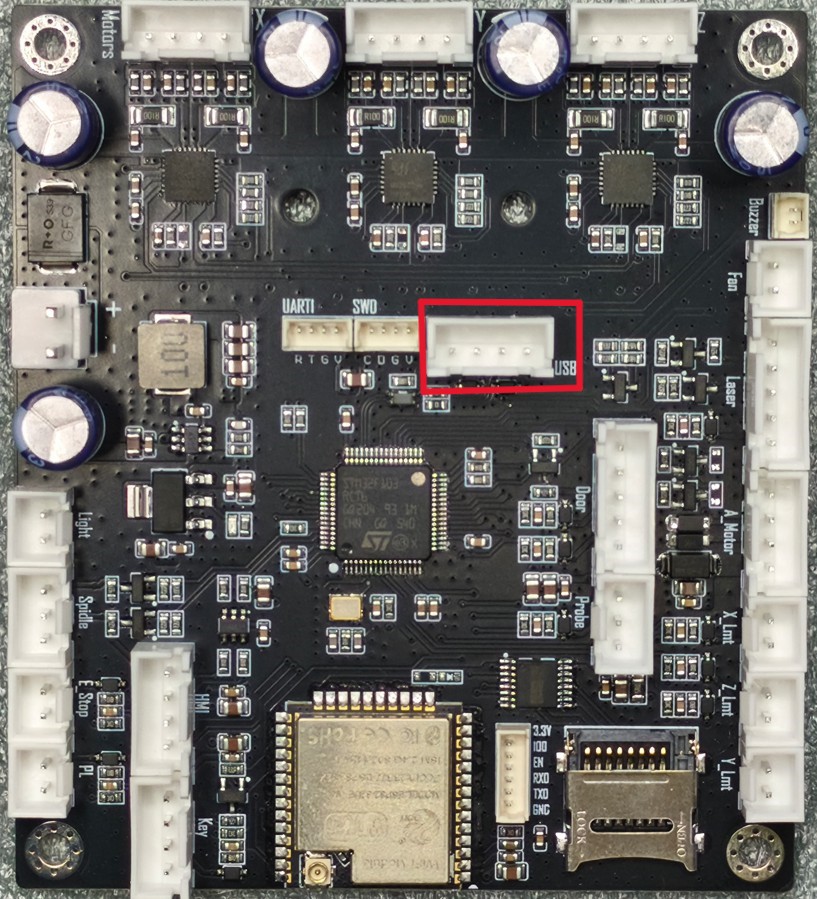
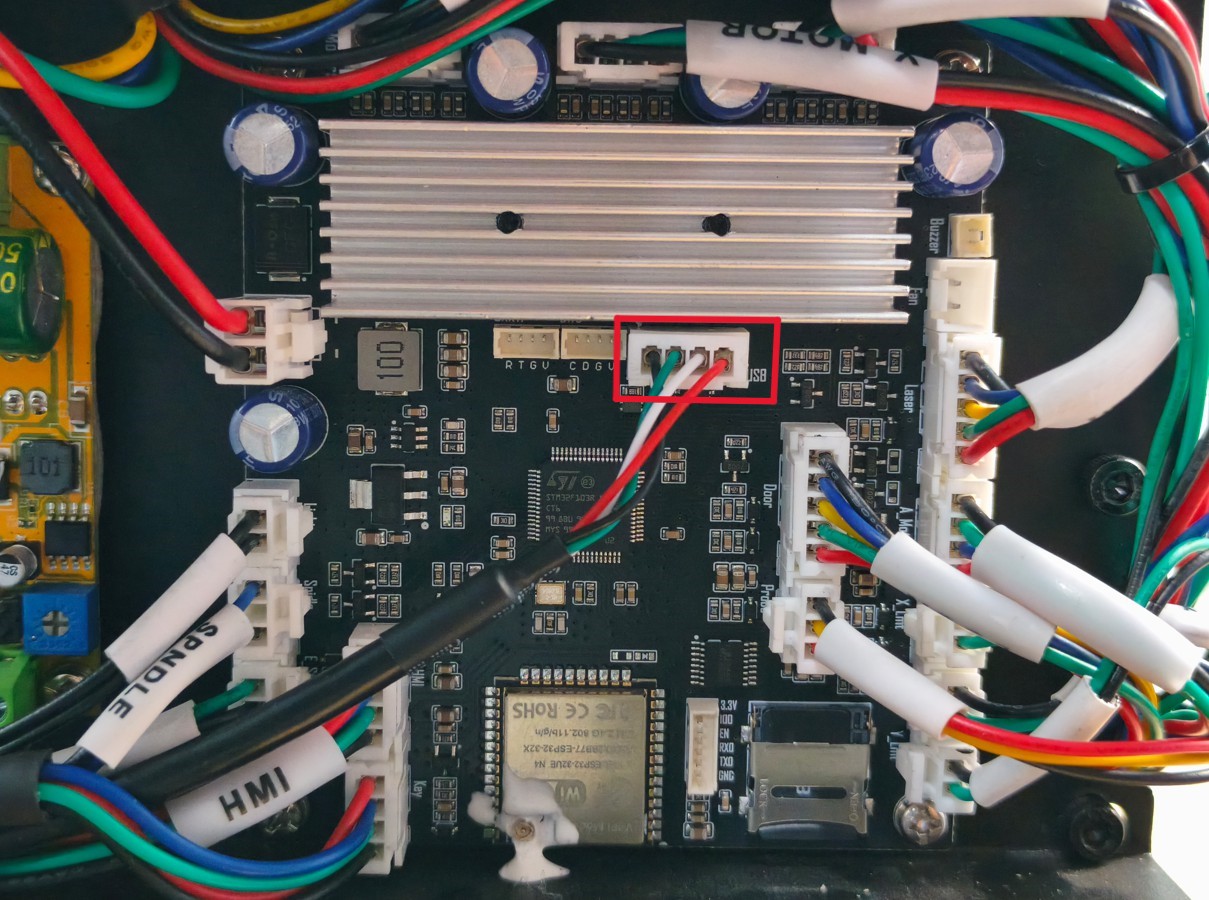
- Check if the USB connection terminal on the main control board is loose or has poor contact; please refer to the video on replacing the main control board for steps to remove the rear cover HiMill D1S Air Cabinet Component Replacement
- If the problem persists, contact support@maxmaketech.com
¶ Interference Issues
¶ Possible Causes
- Strong electromagnetic interference sources nearby (such as motors, transformers, wireless devices, etc.)
- USB cable laid parallel to other high-voltage lines
- Insufficient power supply from computer USB port
- Abnormal computer USB driver
¶ Solutions
- Keep the device away from strong electromagnetic interference sources (such as high-power motors, microwave ovens, wireless routers, etc.)
- Avoid laying USB cables parallel to high-voltage lines (such as power cables)
- Try using a USB hub (with independent power supply) to provide stable power
- Check if the device USB interface has an electromagnetic shielding cover (if applicable)
- Update or reinstall the computer USB driver
- Restart the computer and device, then retry the connection
- Try connecting the device in a different environment to confirm if it is an environmental interference issue
- If the problem persists, contact support@maxmaketech.com