# HiMill D1S Detection Function Description
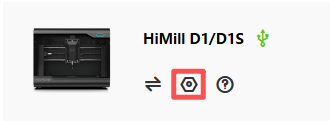
¶ 1. After connecting the device, click the device settings button
¶ 2. Switch to the detection window to check hardware status
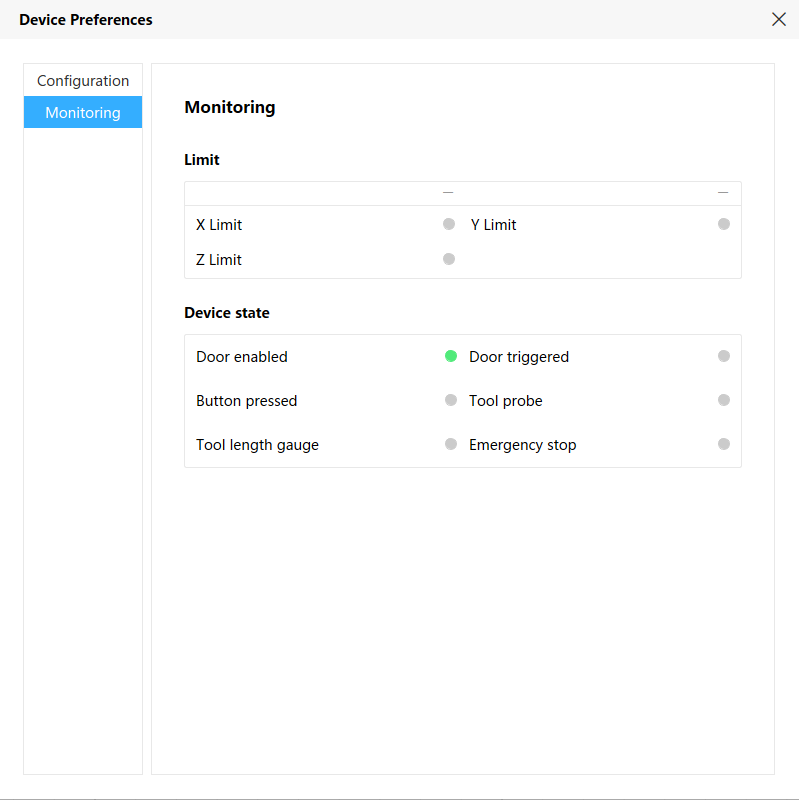
¶ Hardware Status Detection Description
X Limit Switch: Press and hold the limit switch, displays green, turns gray when released
Y Limit Switch: Press and hold the limit switch, displays green, turns gray when released
Z Limit Switch: Press and hold the limit switch, displays green, turns gray when released
Safety Door Enable: Always on when safety door function is enabled, turns gray when safety door function is disabled
Safety Door Trigger: Displays green when device cover is closed, turns gray when cover is opened
Button Trigger: Both internal and external are available, press and hold to display green, turns gray when released
3D Probe: Always on when 3D probe is not inserted, turns gray when inserted; when inserted and probe is triggered, displays green, turns gray when not triggered
Tool Setter: Press and hold to display green, turns gray when released
Emergency Stop: Displays green when external emergency stop is triggered, turns gray when released
¶ Important Notes
⚠️ Important Reminder:
- When hardware signal problems are found, please first check if the connection cables are properly connected
- After confirming hardware damage, please replace it promptly. After replacement, you can enter the detection interface to check if the new hardware is normal
- This function requires firmware update to version 1.0.34 or above, otherwise it cannot be used normally.