¶ MaxmakeLab HiMill D1/D1S Firmware Upgrade
¶ ⚠️ Important Notes
- Software Version Requirement: It is recommended to use the latest version of the software. If you have used the beta version before the product release, please uninstall and delete it first, then download the latest version.
- Connection Method: Firmware upgrade must use USB data cable. Please exit WiFi mode and plug in the USB data cable.
- Upgrade Process:
- Do not unplug the connection cable during the upgrade process
- Do not turn off the power during the upgrade process
¶ 📝 Auto Upgrade Process
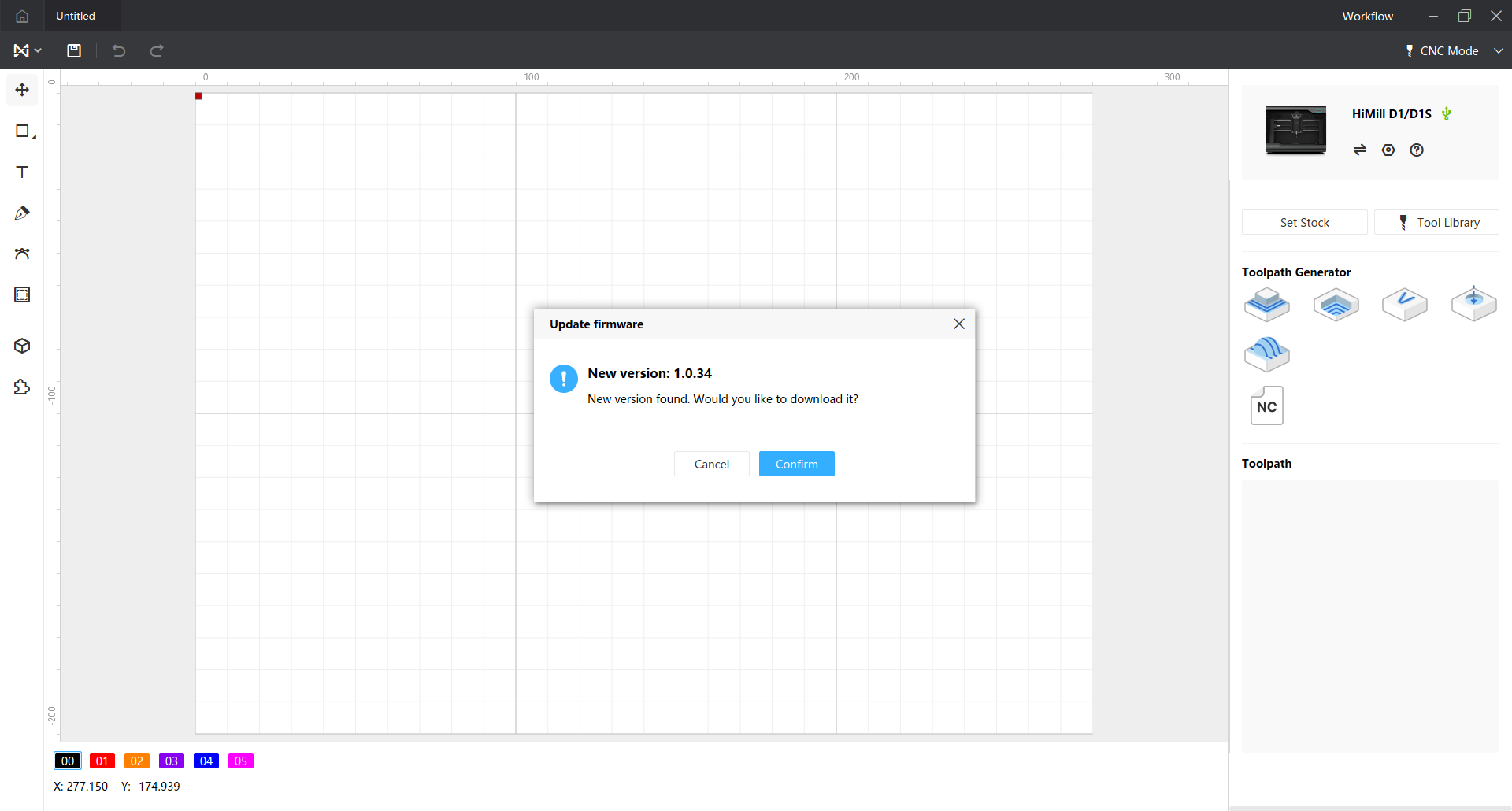
¶ Step 1: Software Version Check
After the software connects to the device, it will automatically check the current firmware version. If an update is needed, a prompt box will pop up.
¶ Step 2: Enter Bootloader Mode
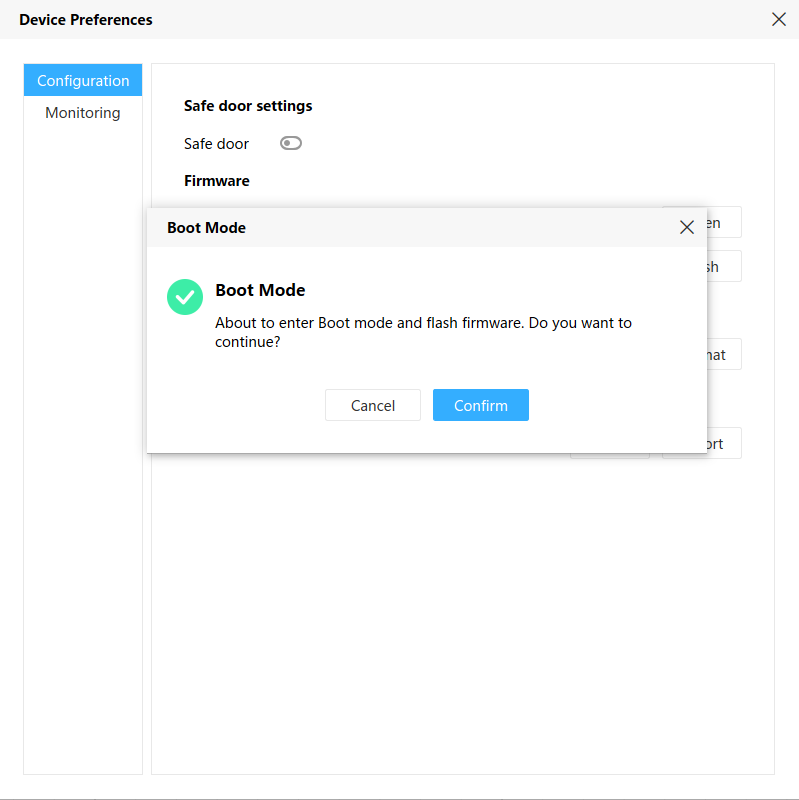
After clicking confirm, the device settings will open automatically, and a prompt box will pop up asking whether to enter bootloader mode and start firmware upgrade.
¶ Step 3: Firmware Flashing
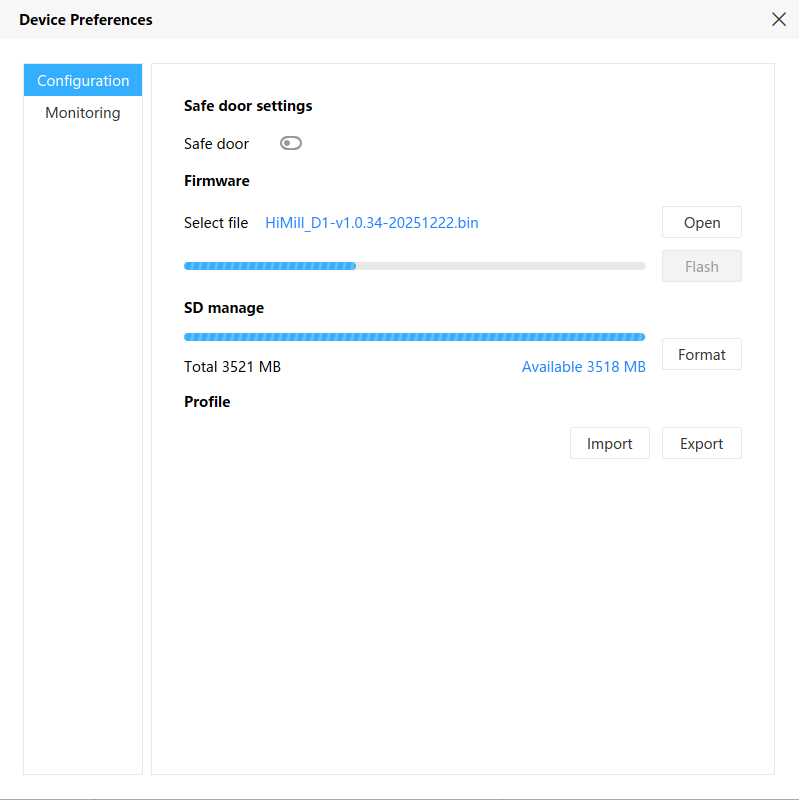
After clicking confirm, the firmware flashing will start automatically. Wait for the progress bar to complete loading.
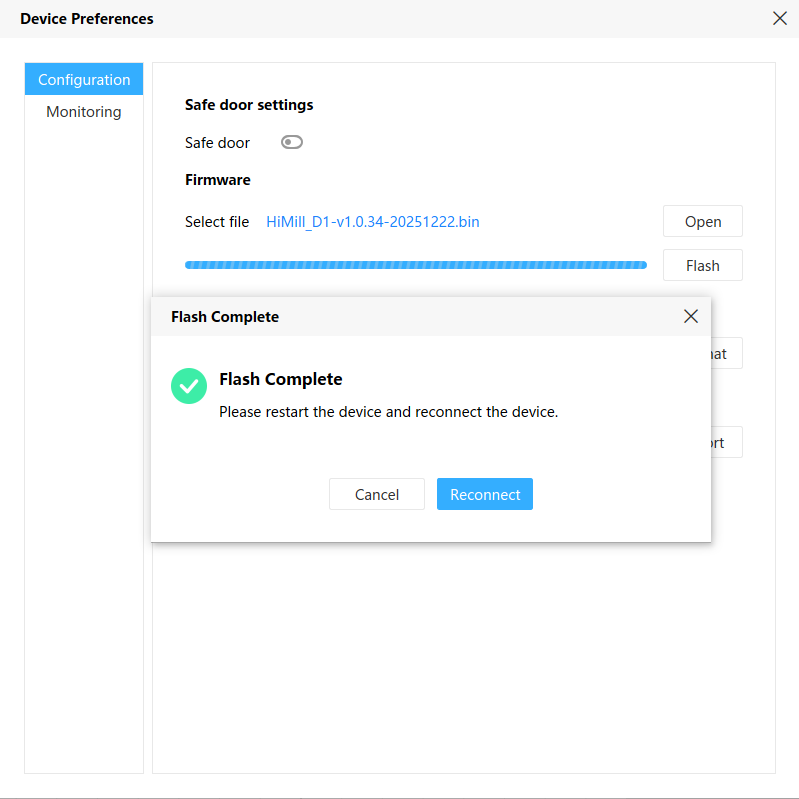
¶ Step 4: Upgrade Complete
After the flashing is complete, a success prompt box will pop up. At this point, you need to reconnect the device to use the upgraded firmware.
¶ 📝 Manual Upgrade Process
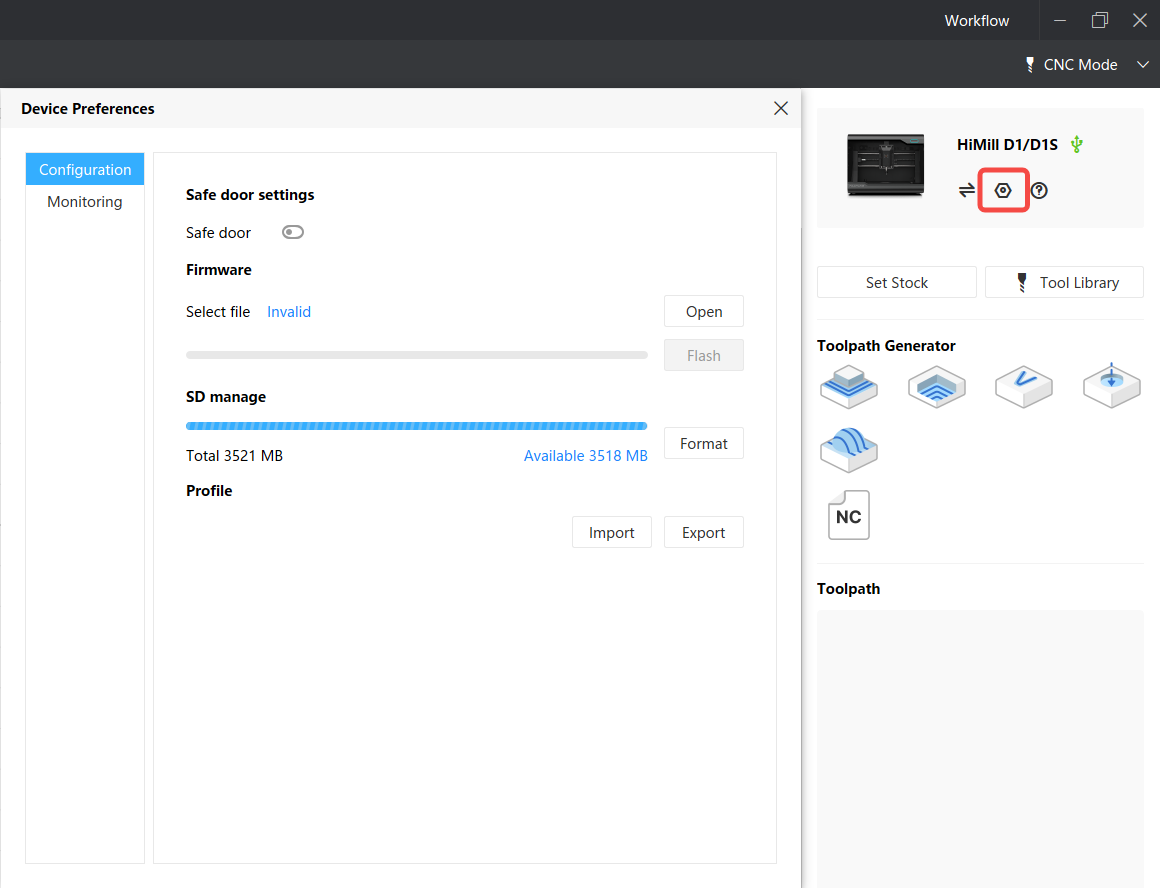
¶ Step 1: Open Device Settings
After connecting the device, click the device settings button to open the device settings interface.
¶ Step 2: Select Firmware File
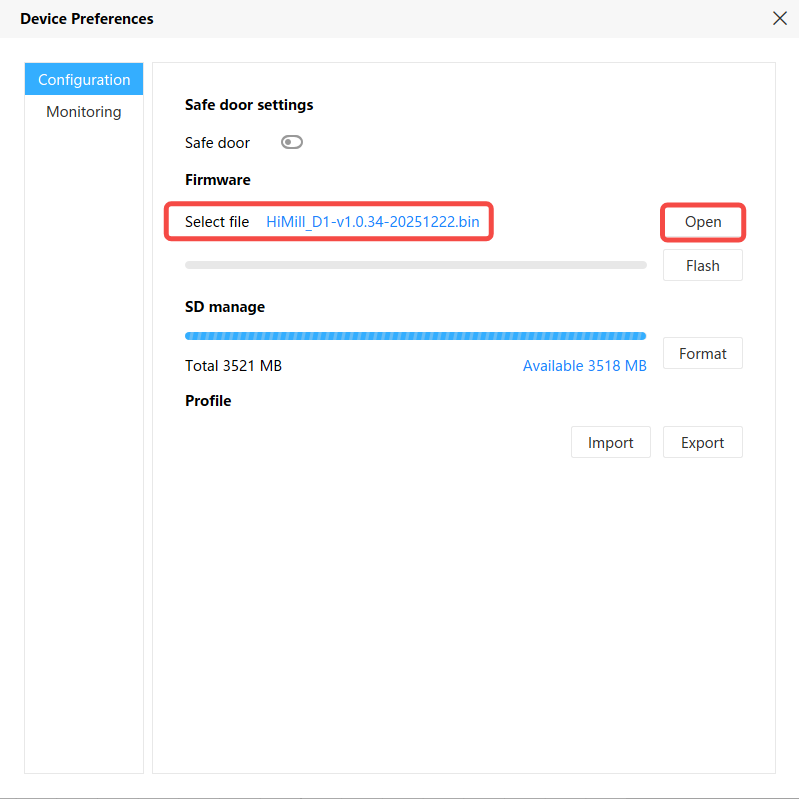
Click "Open" and select the downloaded firmware file.
Note: The latest firmware can be downloaded on this page (Jump to Firmware Release Page)
¶ Step 3: Start Flashing
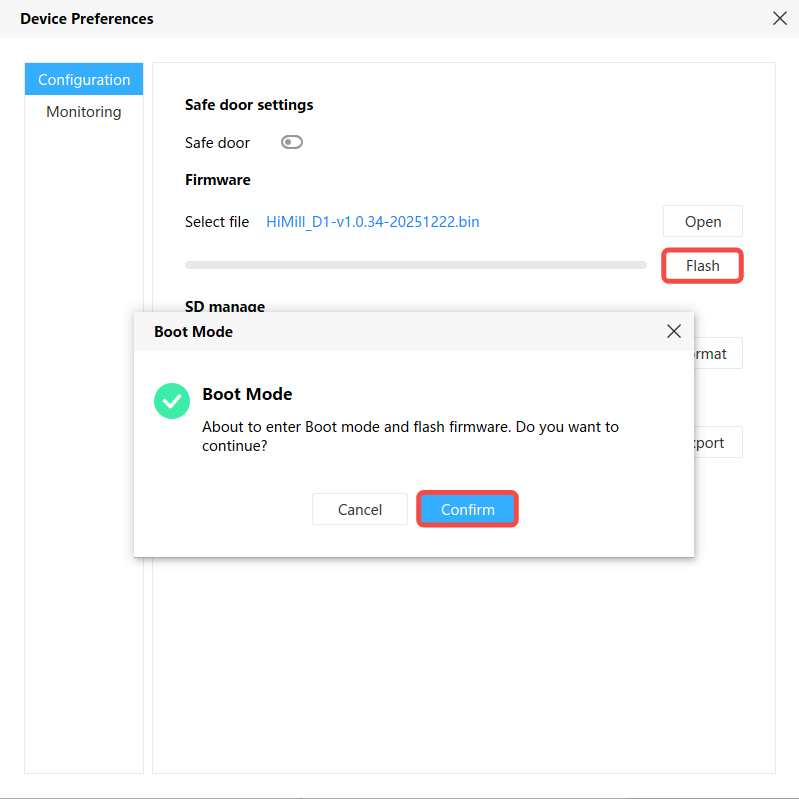
After selecting the firmware, click "Flash" and confirm in the pop-up prompt.
¶ Step 4: Upgrade Complete
Wait for the progress bar to complete. After the flashing is complete, you can reconnect to use the device.