¶ MaxmakeLab HiMill D1/D1S Format SD Card
¶ 📋 Why Format SD Card
During device processing, files are transferred to the device's Micro SD card. If file transfer consistently fails, there may be issues with the SD card. Try formatting the SD card to resolve this problem.
¶ ⚠️ Important Notes
Important Reminder: Do not power off or disconnect the USB cable during the formatting process, as this may cause device failure or SD card damage.
¶ 📝 SD Card Formatting Steps
¶ Step 1: Open Device Settings
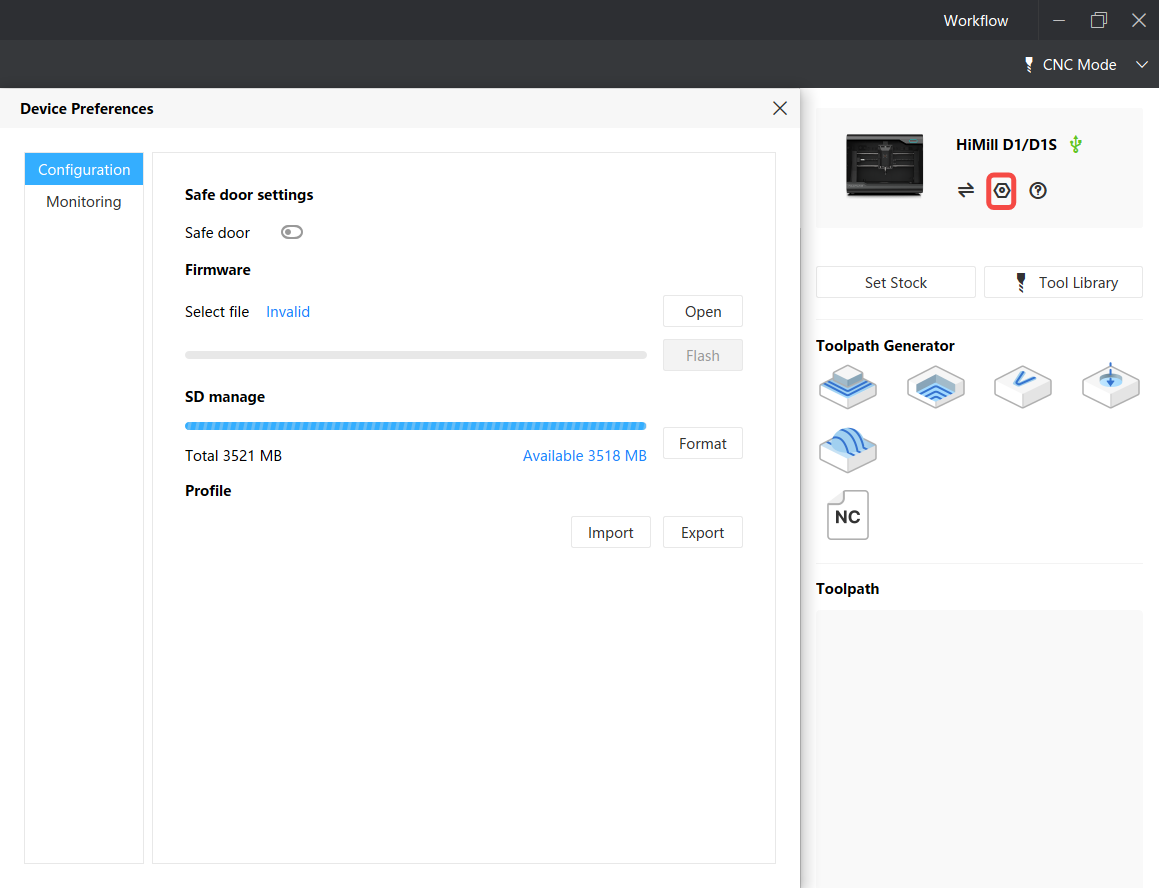
After connecting the device, click the device settings button to open the device settings interface.
¶ Step 2: Perform Formatting
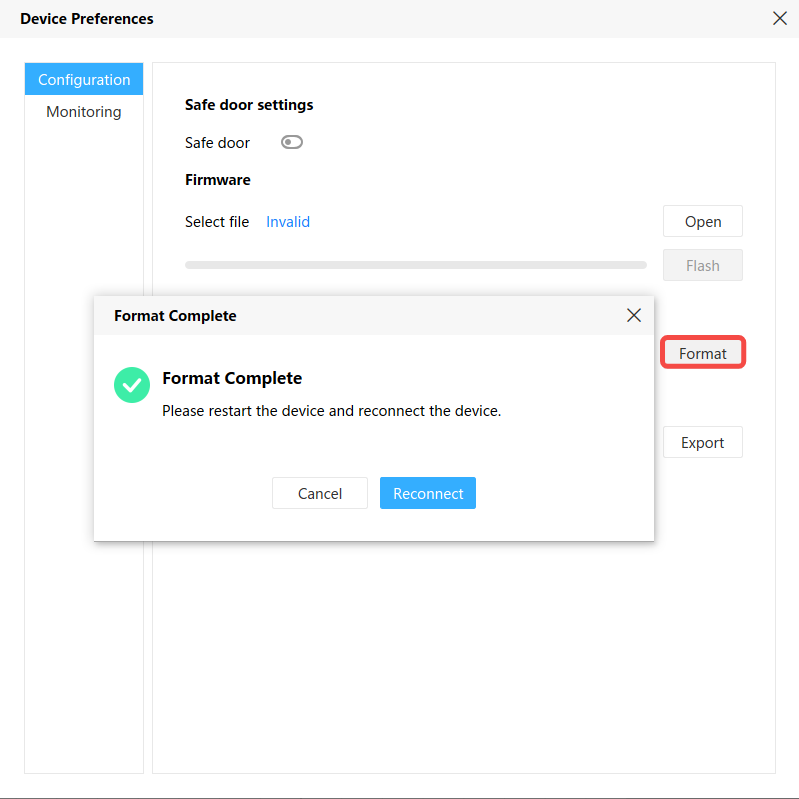
After clicking the format button, the button will gray out, indicating that formatting is in progress. About 10 seconds later, a prompt box will appear showing that formatting was successful.
¶ Step 3: Restart Device
After formatting is complete, you need to power off and restart the device to ensure the changes take effect.