¶ HiMill D1S Limit Switch Issues
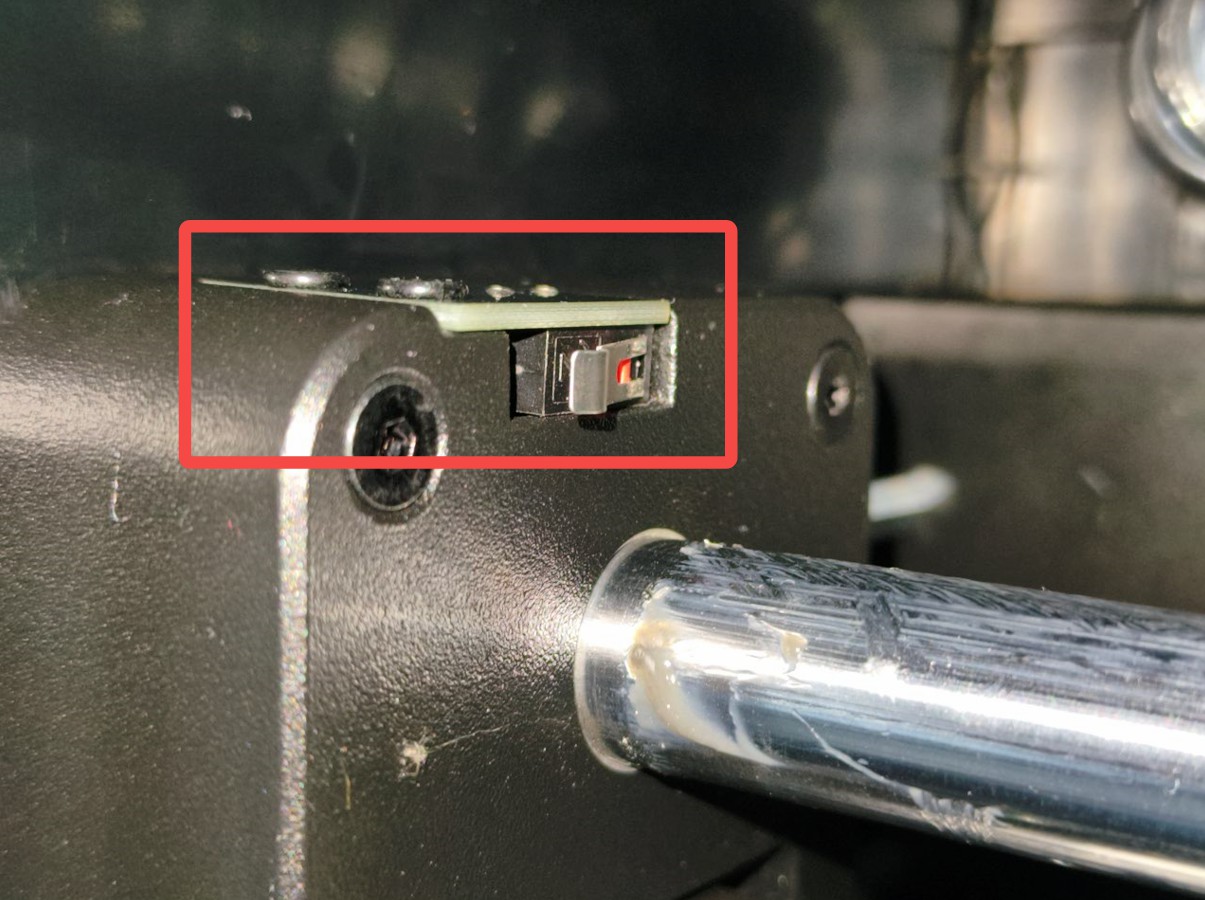
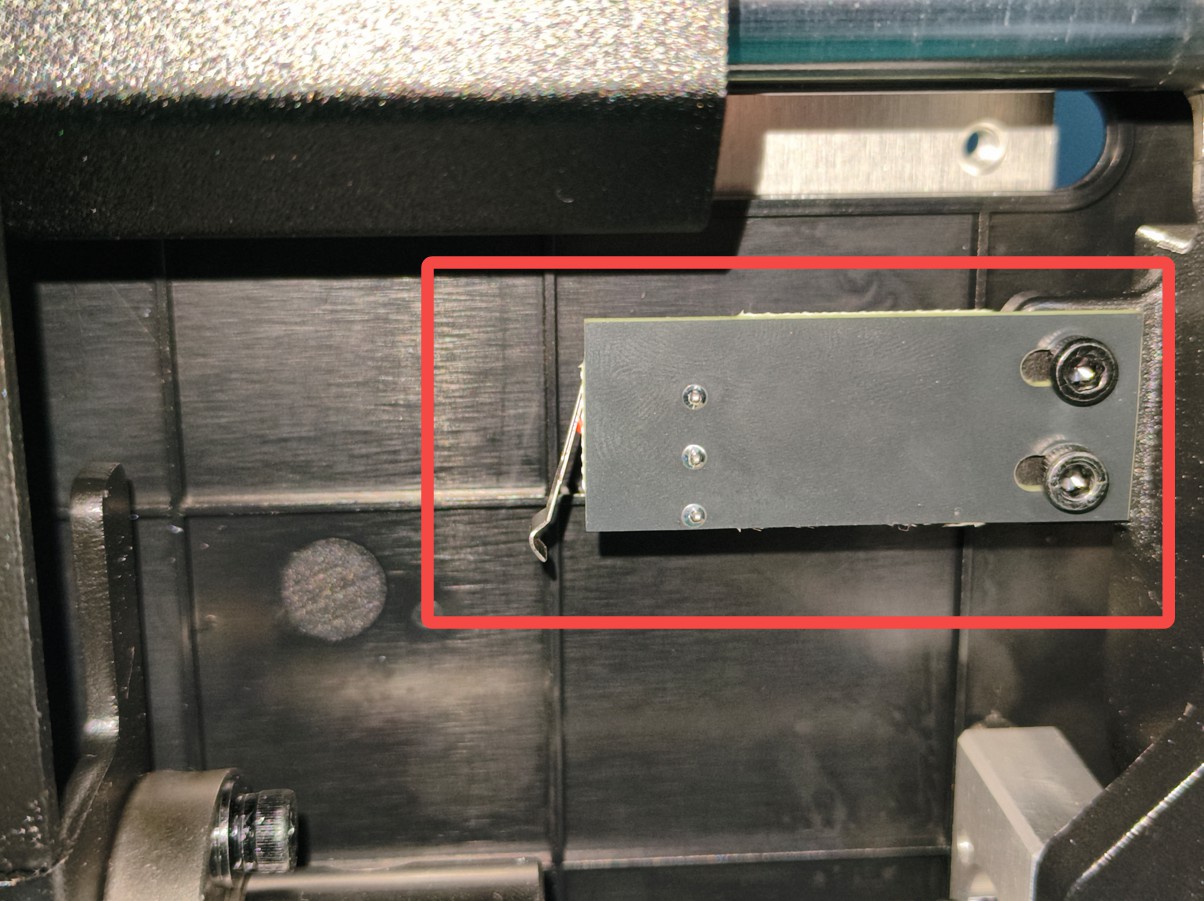
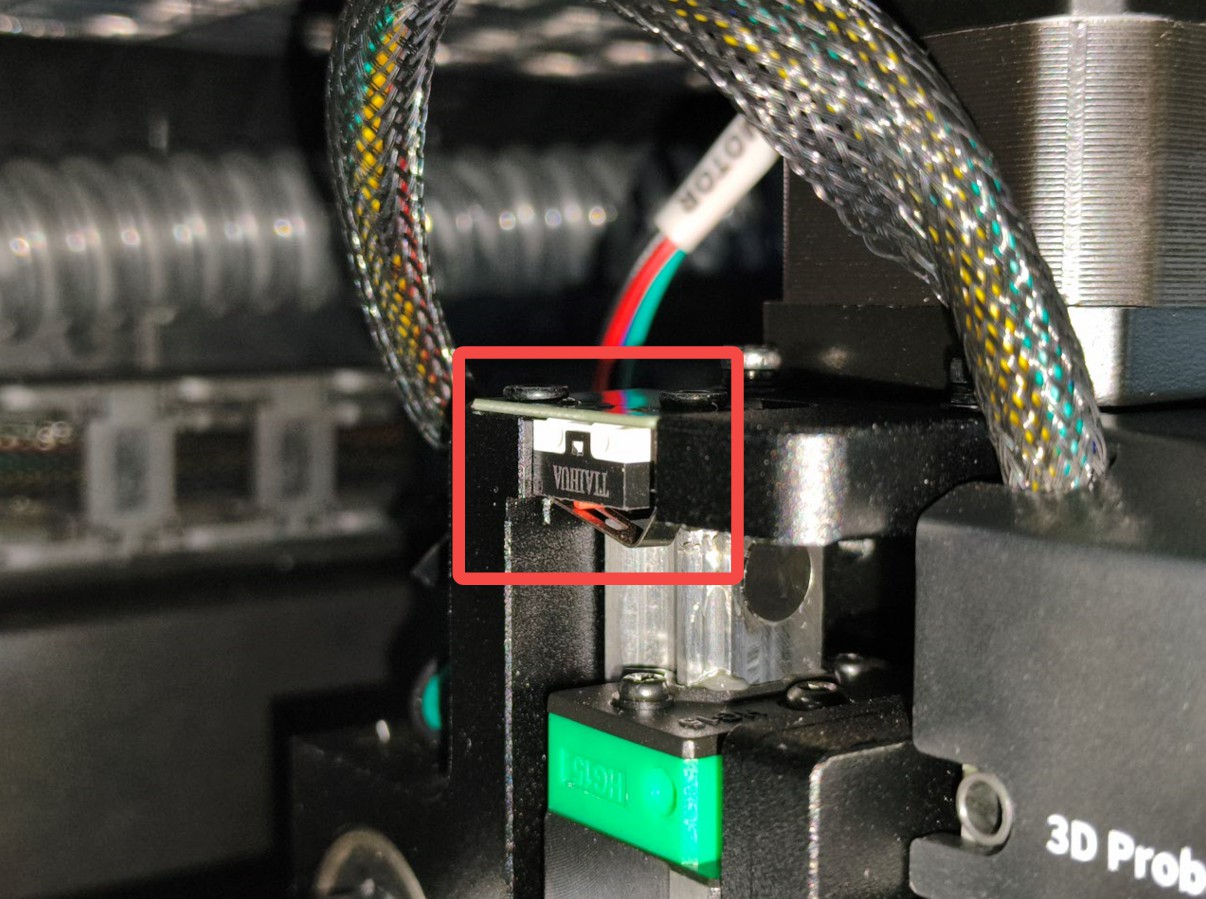
¶ Limit Switch Position Diagram
X Limit Switch Position:
Y Limit Switch Position:
Z Limit Switch Position:
¶ XY Limit Switch Issues
¶ Possible Phenomena
- During homing, the XY axes keep colliding, the limit has been triggered but there's no signal
- During homing, the XY axes get stuck and don't rebound, unable to disengage after the limit has been triggered
¶ Possible Causes
- Loose or poor contact of limit switch connection wires
- Damaged limit switch
- Mechanical structure jammed
- Insufficient lubrication
- Limit switch is blocked by foreign objects
¶ Solutions
-
If the axes keep colliding, immediately stop the device to avoid further damage
-
Check if there are any objects blocking the axis movement or limit switches
-
Manually turn the lead screw to adjust the axis position and disengage the limit switch from the triggered state
-
Try pressing the limit switch to check if the rebound is normal
-
Check if the limit switch connection wires are loose and try reconnecting them. For details, refer to the video on replacing XY limits HiMill D1S Limit Switch Replacement
-
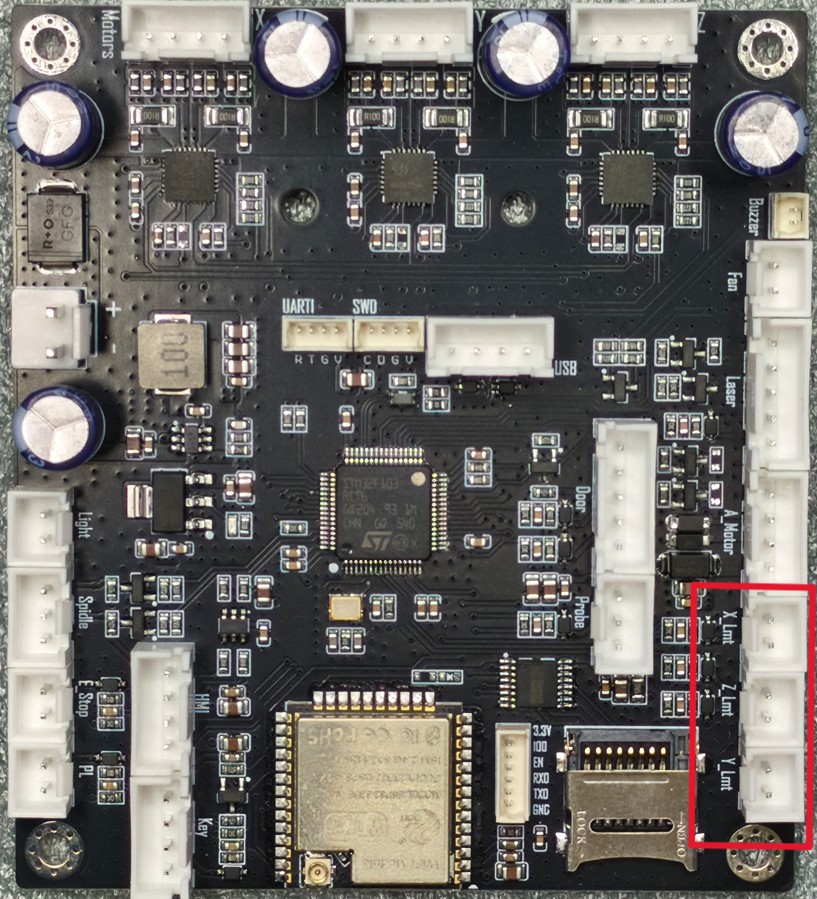
Check if the limit connection terminals on the main control board are connected properly and try reconnecting them. For cover removal steps, refer to the video for replacing the main control board HiMill D1S Replace Air Cabinet Components
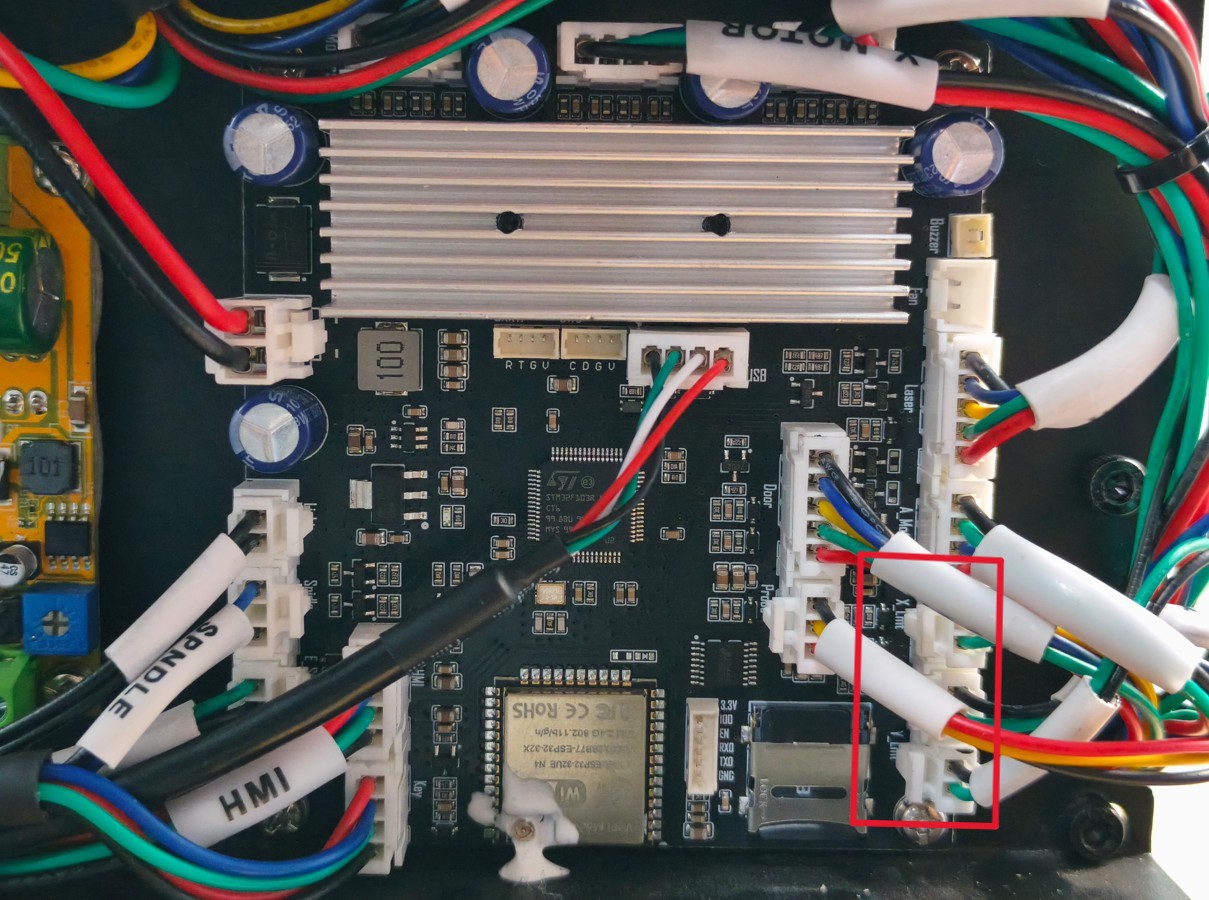
-
Check if the transmission parts need oiling
-
Restart the device and try again
-
If the issue persists, contact support@maxmaketech.com
¶ Z Limit Switch Issues
¶ Possible Phenomena
- During homing, the Z-axis keeps colliding upwards, the limit has been triggered but there's no signal
- During homing, the Z-axis moves to the top and gets stuck without rebounding, unable to disengage after the limit has been triggered
¶ Possible Causes
- Loose Z-axis limit switch connection wires
- Damaged Z-axis limit switch
- Z-axis mechanical structure jammed
- Insufficient lubrication
- Limit switch is blocked by foreign objects
¶ Solutions
- If the axis keeps colliding, immediately stop the device to avoid further damage
- Check if there are any objects blocking the axis movement or limit switch
- Manually turn the lead screw to adjust the axis position and disengage the limit switch from the triggered state
- Try pressing the limit switch to check if the rebound is normal
- Check if the limit switch connection wires are loose and try reconnecting them. For details, refer to the video on replacing Z limit
- Check if the limit connection terminals on the main control board are connected properly and try reconnecting them
- Check if the transmission parts need oiling
- Restart the device and try again
- If the issue persists, contact support@maxmaketech.com