¶ MaxmakeLab Movement and Positioning
¶ Movement and Positioning in CNC Machining
Before machining, it is generally necessary to determine the machining origin. Control spindle movement through movement buttons. After moving to the workpiece machining origin, set the equipment machining origin. (Determined by NC program, for example, if the machining origin in the NC program is the center point, then find the workpiece center point and set it as the machining origin)
¶ 1. X-axis Movement Control



In movement control, clicking this button can control X-axis left and right movement.
¶ 2. Y-axis Movement Control






Click this button to control Y-axis front and back movement.
⚠️ Y-axis Movement Note:
Here the Y-axis is the base plate movement, the spindle moves relative to the base plate. So when clicking forward movement, it is the spindle moving relatively forward, and the Y-axis base plate moves backward




¶ 3. Z-axis Movement Control
Click this button to control Z-axis up and down movement.
¶ 4. A-axis (Rotary Axis) Movement Control
Click this button to control A-axis (rotary axis) movement.
¶ 5. Step Size and Feed Rate Settings
When moving, you can set step size and feed rate.
- Step Size: The distance the spindle moves each time
- Feed Rate: The speed at which the spindle moves each time (HiMill equipment maximum speed is 1000mm/min, setting over 1000mm/min will move according to 1000mm/min)
¶ 6. Set XY0 Point
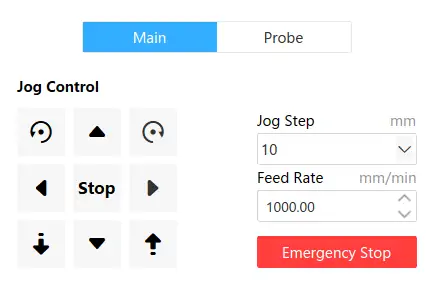
When the tool moves to the workpiece center, click this button to set the XY0 point.
¶ 7. Set Z0 Point

When the tool just contacts the workpiece, click this button to set the Z0 point.
¶ Movement and Positioning in Laser Machining
¶ 1. Laser Movement Operation
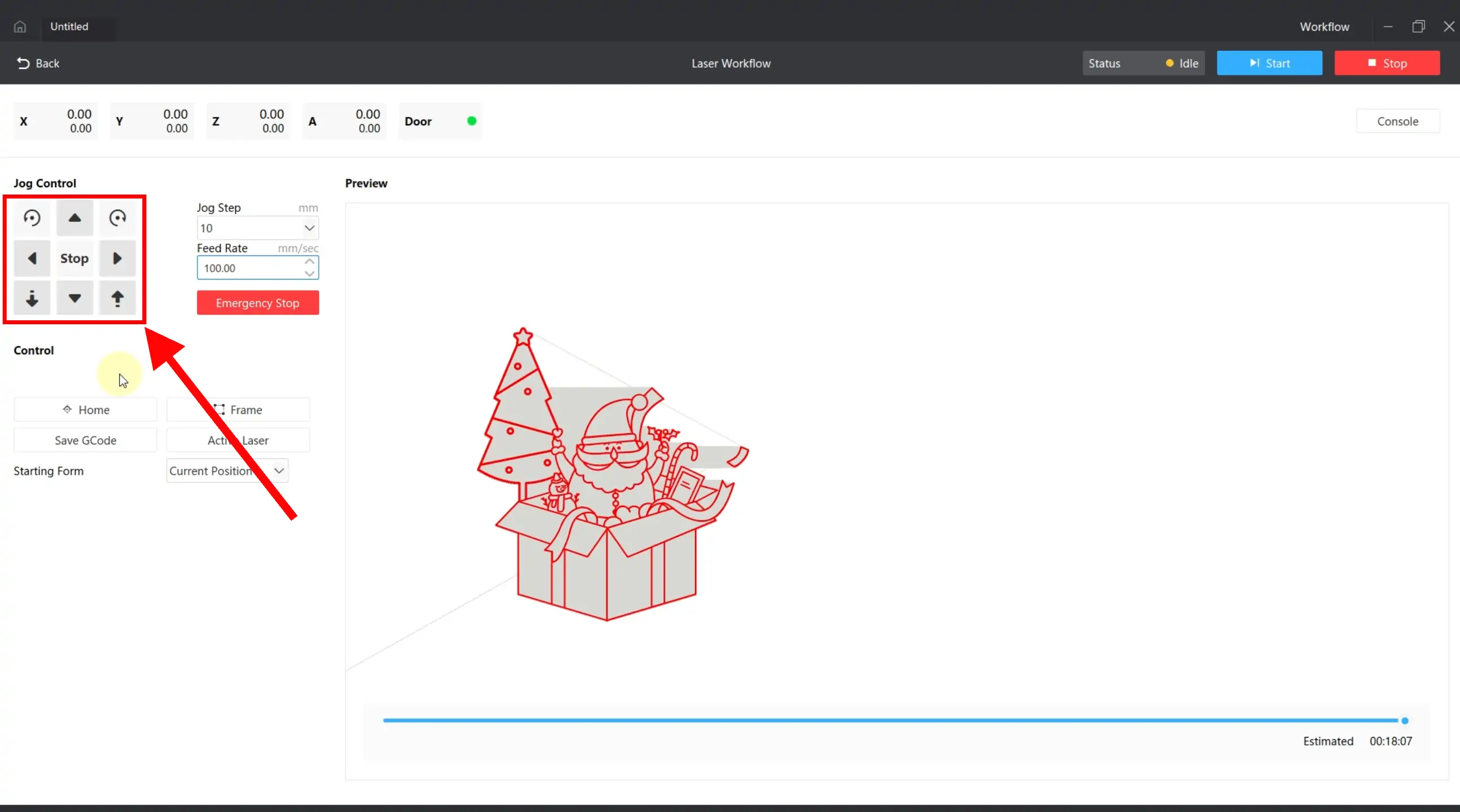
During laser machining, you can also use movement buttons to move above objects.
¶ 2. Quick Movement Positioning
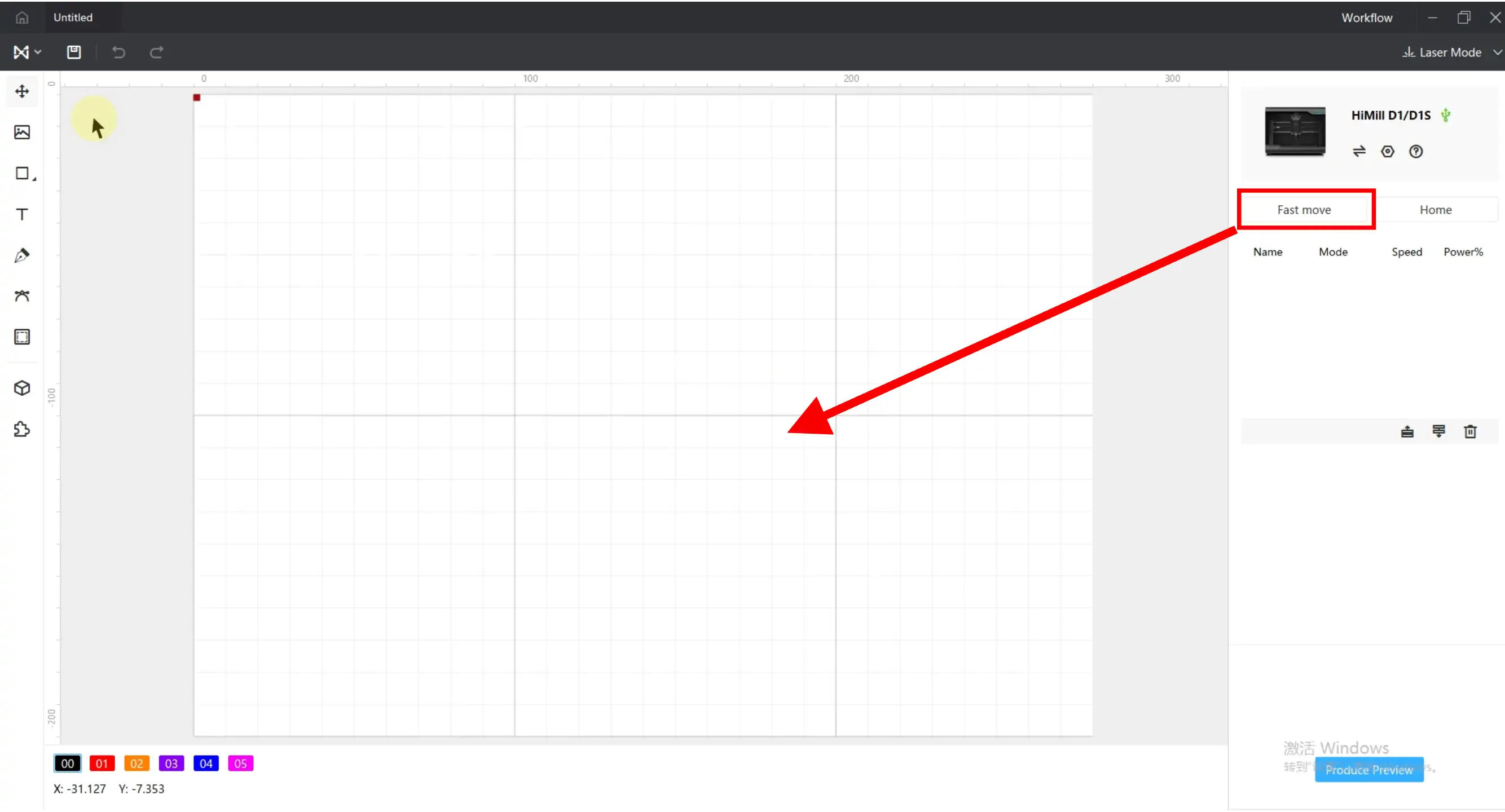
You can also use quick movement, left-click on a position in the canvas, and the spindle will move to the corresponding coordinate location.
¶ 3. Laser Border Positioning
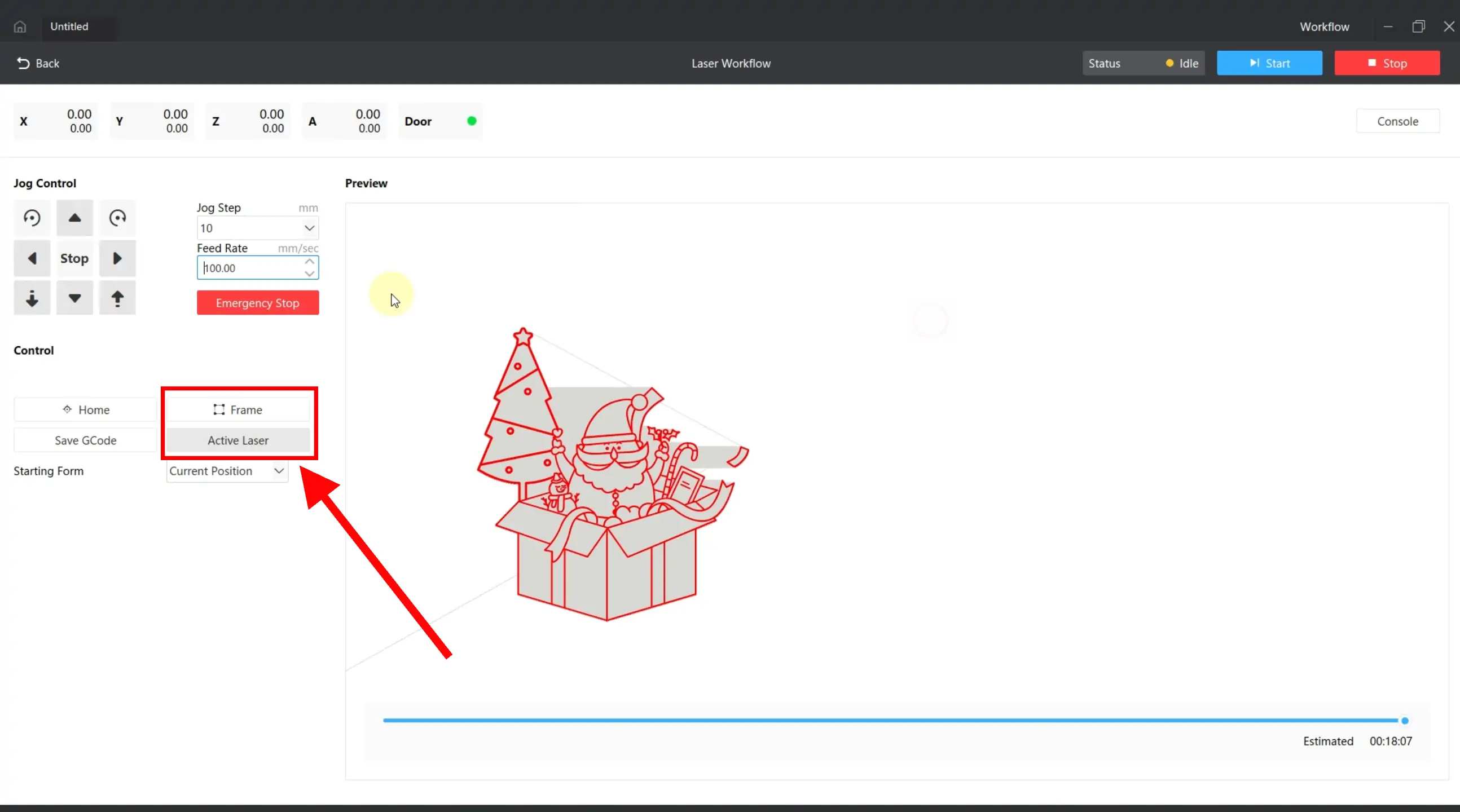

After activating the laser button, click the border button, and the laser will walk out the machining range with weak light.
⚠️ Laser Border Positioning Precautions:
- Generally set to current position, will walk out the machining range from the current laser position for easy adjustment at any time; if set to absolute coordinates, the border walk range will be fixed, requiring adjustment of the machining material position
- If out of bounds, the interface will pop up an out-of-bounds prompt, please move the spindle forward and try the border walk again
- Since the laser is installed on the front side of the spindle, the machining range actually moves forward. If necessary, open the safety door to prevent material from hitting the safety door