¶ MaxmakeLab Rotation Axis Processing - NC Program Import Processing Workflow
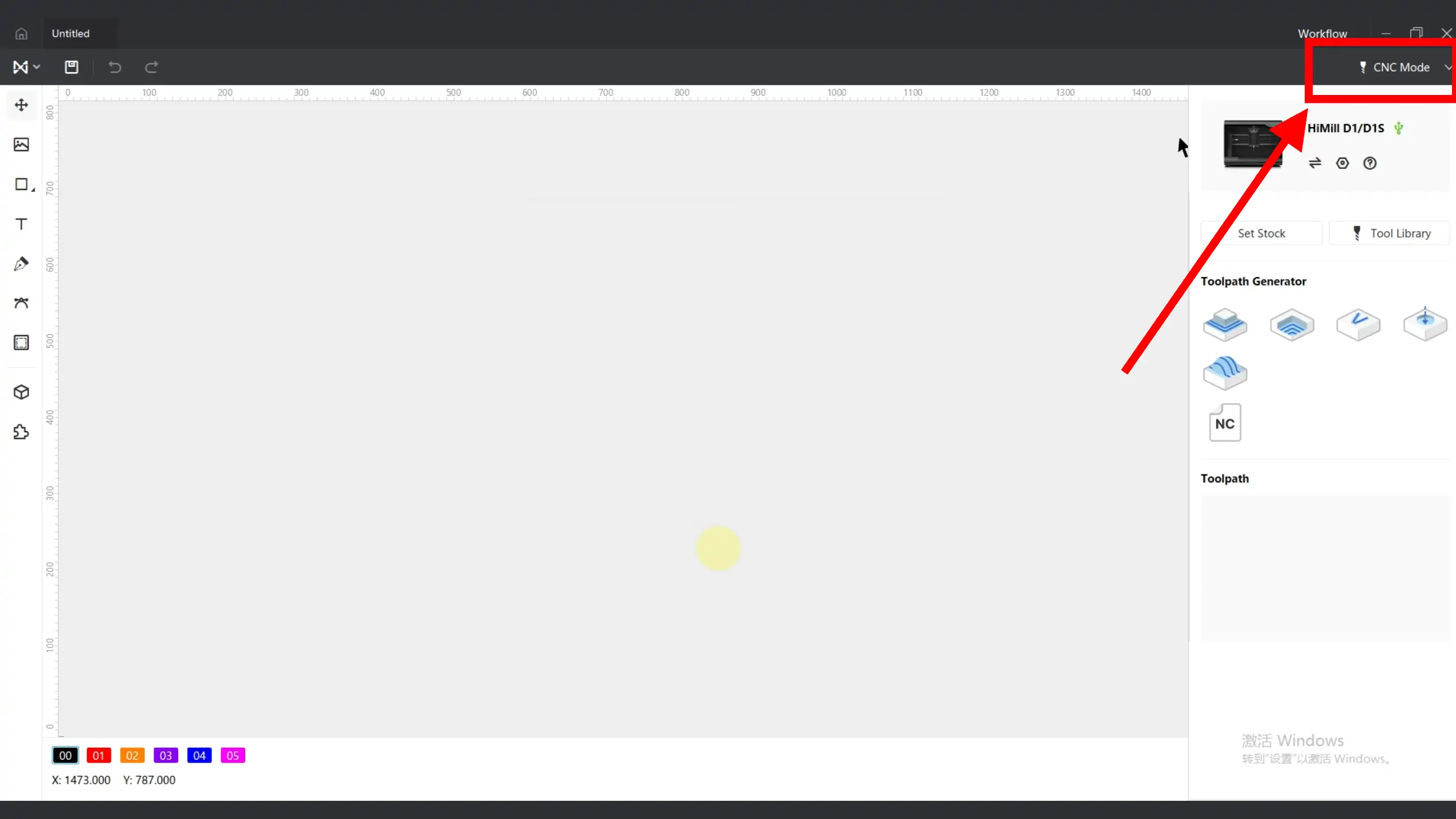
¶ 1. Switch to CNC Mode
Switch the mode to CNC mode.

¶ 2. Import Files
After connecting the equipment, import the prepared NC program.

¶ 3. Raise Spindle
Due to the relatively high height of the rotation axis itself, the spindle may need to be raised. Loosen the 4 fixing screws of the spindle, move it up, and then refix it.
¶ 4. Movement and Positioning
Turn on the spindle and control the tool to move to the processing origin.


¶ 5. Set Origin
When the tool is at the processing origin, click to set XY0.


Slowly lower the Z-axis. When the tool just contacts the workpiece, click to set Z0.


⚠️ Origin Setting Notes:
- In this case, the Z0 of the NC program is at the corner edge of the square workpiece, so when setting Z0, the corner needs to be adjusted to be directly above
- Before rotation axis processing, when designing the toolpath, it is recommended to clamp the workpiece first. Be sure to consider the clamping position carefully. The generated toolpath must avoid the chuck jaws to prevent collision
- At the same time, the Z-axis processing range needs to be determined in advance, and the tool length needs to be calculated in advance to avoid insufficient tool length that would prevent processing
¶ 6. Preview Simulation
In the 3D interface, you can preview the simulation path.

📋 Preview Simulation Tips:
- You can adjust the playback rate for real-time preview
- You can directly drag the progress bar
¶ 7. Transfer File and Start Processing
Click the start processing button to transfer the processing file to the device SD card.

According to the prompts, wait until the indicator light shows the rainbow rotating light effect, then long press the equipment button for 2 seconds to start processing.

⚠️ Processing Control Notes:
- During processing, single-click the button to pause processing. Long press for 2 seconds to resume processing
- If the safety door function is enabled, close the door before resuming processing
¶ 8. During Processing, Spindle Speed and Feed Rate Can Be Changed
During processing, the spindle speed and feed rate can be changed.

⚠️ Parameter Adjustment Notes:
- During processing, it is not recommended to reduce spindle speed, especially for metal processing, to avoid increased load that could cause tool breakage
- After changing values, speed will gradually increase or decrease. You need to gradually increase or decrease values based on actual conditions