¶ MaxmakeLab HiMill D1/D1S Safe Door Setting
¶ 📋 Safe Door Function Description
- The safe door function can be enabled in the device settings
- When the safe door function is enabled, the processing will automatically pause when the front cover is opened during processing. After closing the door, press and hold the button for 2 seconds to resume processing
- When the safe door function is disabled, opening the front cover during processing will not affect the processing
¶ ⚠️ Important Notes
- Even if the safe door function is enabled, you can still start processing with the front cover open. The pause will only be triggered if you close the door and then open it again
- During pause, the spindle still keeps rotating, please pay attention to safety
¶ 📝 Setting Steps
¶ Step 1: Open Device Settings Interface
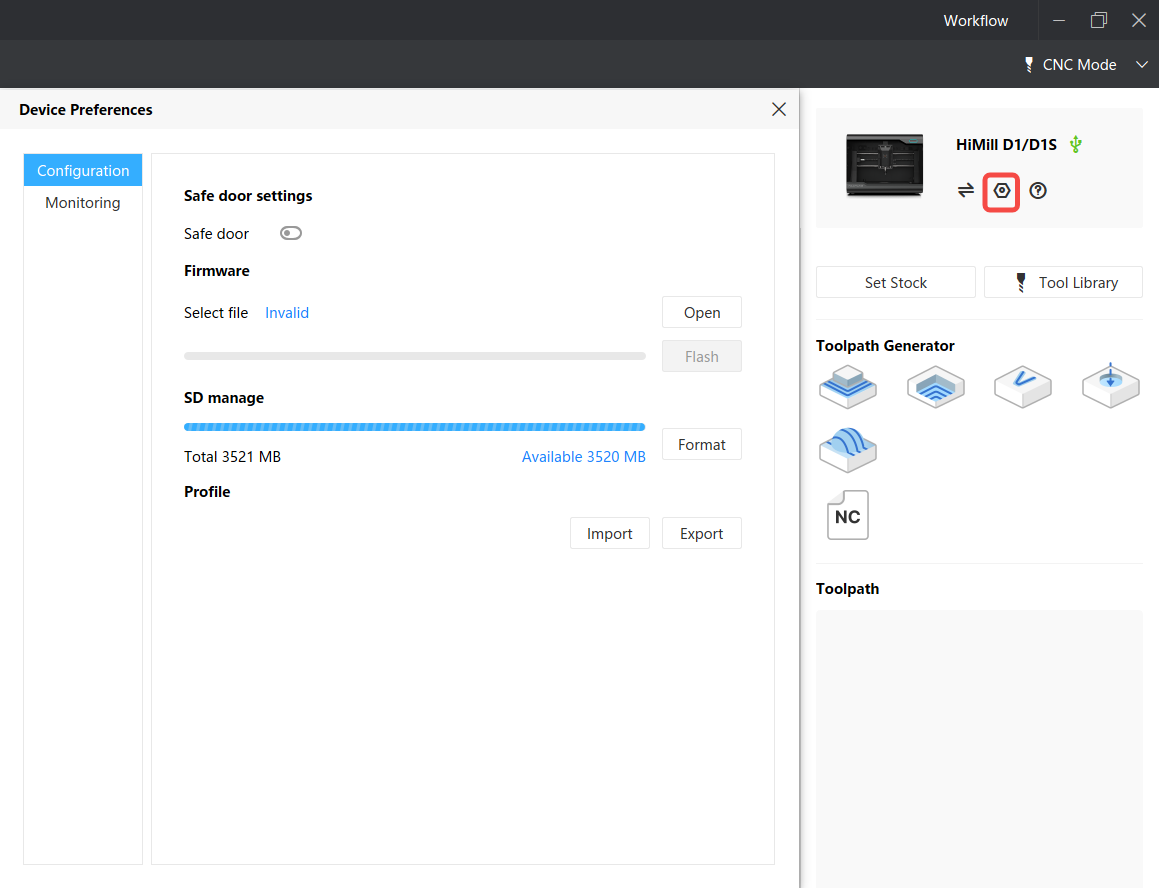
After connecting the device, click the device settings button to open the device settings interface.
¶ Step 2: Set Safe Door Function
After entering this interface, the safe door switch will display the current switch status. Turn it on or off as needed.

¶ Step 3: Check Safe Door Status Indicator
The safe door indicator in the workflow status bar only indicates the status of the front cover. You can observe whether the front cover is properly closed through this indicator.
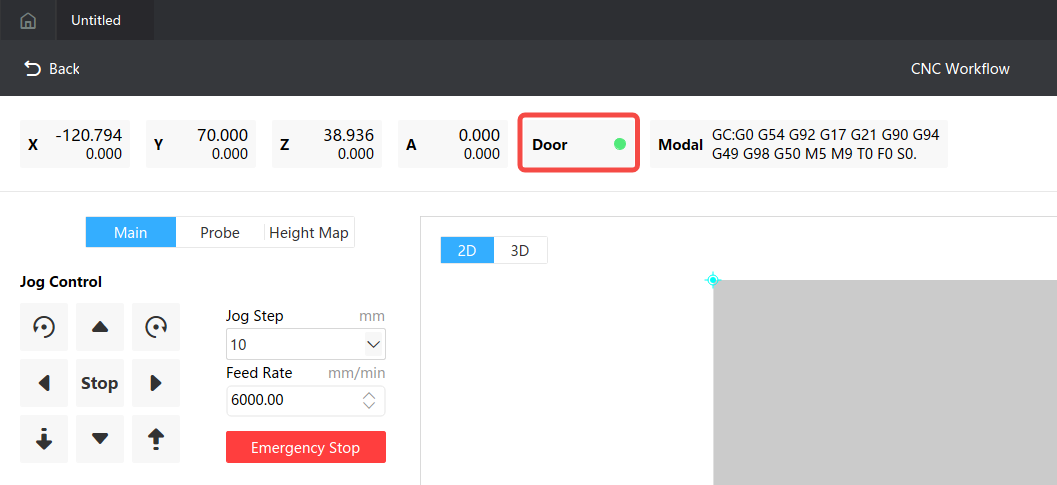
- Indicator light is on: Indicates that the safe door is closed
- Indicator light is gray: Indicates that the front cover is not detected as closed