¶ HiMill D1S Moving Axis Operation Issues
¶ Precautions
- Emergency Handling: In case of continuous axis collision or jamming, immediately stop the device and power it off to avoid further damage to mechanical components
- Safe Operation: Before conducting any inspections or repairs, ensure the device is completely powered off
- Operation Specifications: When manually adjusting axis positions, operate slowly
- Protective Measures: When handling mechanical components, it is recommended to wear protective gloves to prevent scratches
¶ Possible Phenomena
- Not Locked After Power-On: After the device is powered on, the axis is not in a locked state and may move freely
- Axis Does Not Move: When operating the controller, the axis shows no movement response
- Axis Movement Stutters: The axis experiences stuttering, shaking, or abnormal noise during movement
¶ Possible Causes
¶ Electrical Faults
- Motor driver failure or damage
- Loose, poor contact, or disconnected motor wires
- Motor itself has failed
¶ Mechanical Faults
- Mechanical transmission parts (such as lead screws, guide rails) are faulty or have foreign objects stuck
- Insufficient lubrication of guide rails or lead screws leading to increased friction
¶ Control System Issues
- Limit switches are triggered or damaged
- Incorrect parameter settings
- Controller software abnormality
¶ Solutions
¶ 1. Exclude Limit Switch Abnormalities
- After powering on, try the homing operation to check if it can move normally
- If homing fails, refer to the HiMill D1S Limit Switch Issues
¶ 2. Check Mechanical Transmission Parts
- Carefully check if there are any foreign objects stuck in the transmission path
- If jamming is found, immediately power off and remove the foreign objects
¶ 3. Check Motor Connection Wires
¶ X Motor Connection Wires
The spindle needs to be moved to the right for inspection. Try reconnecting:
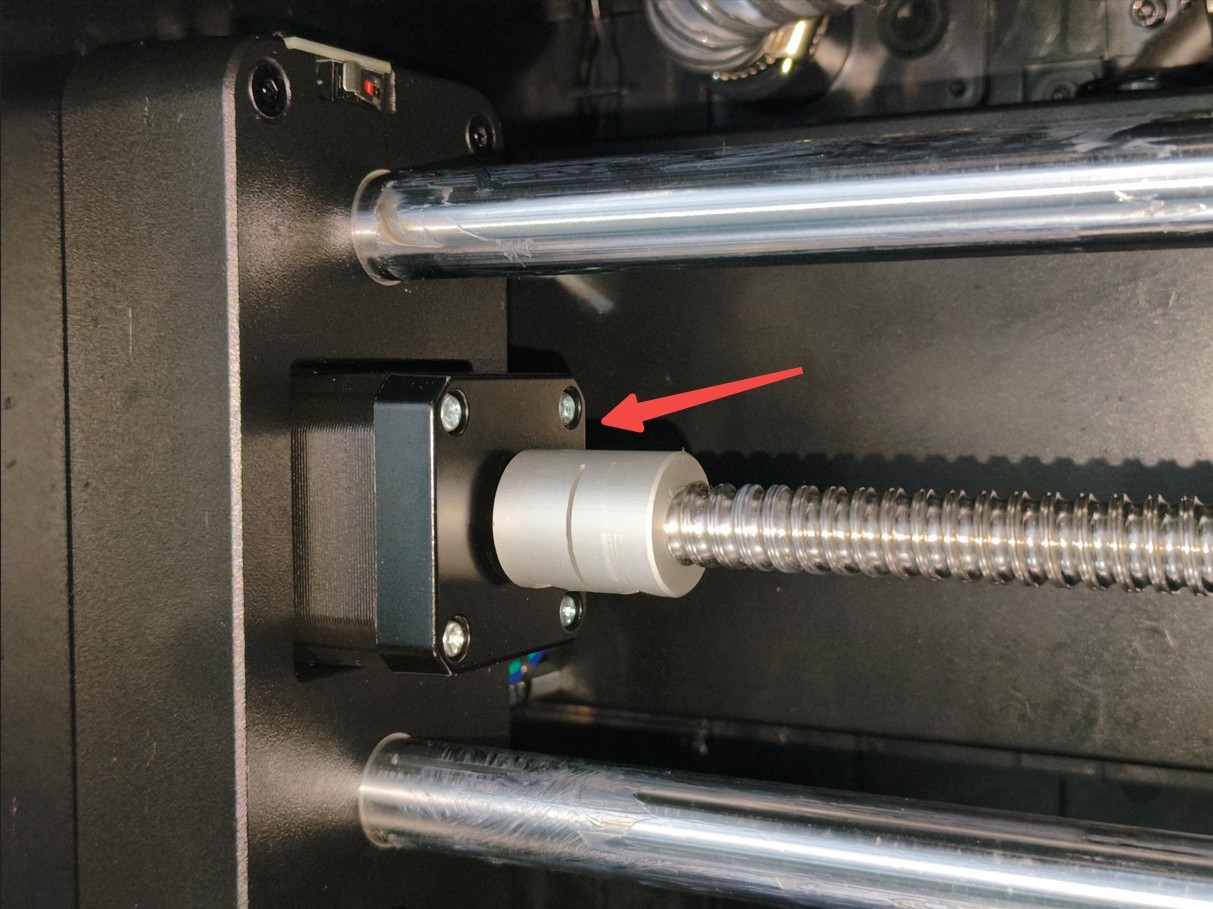
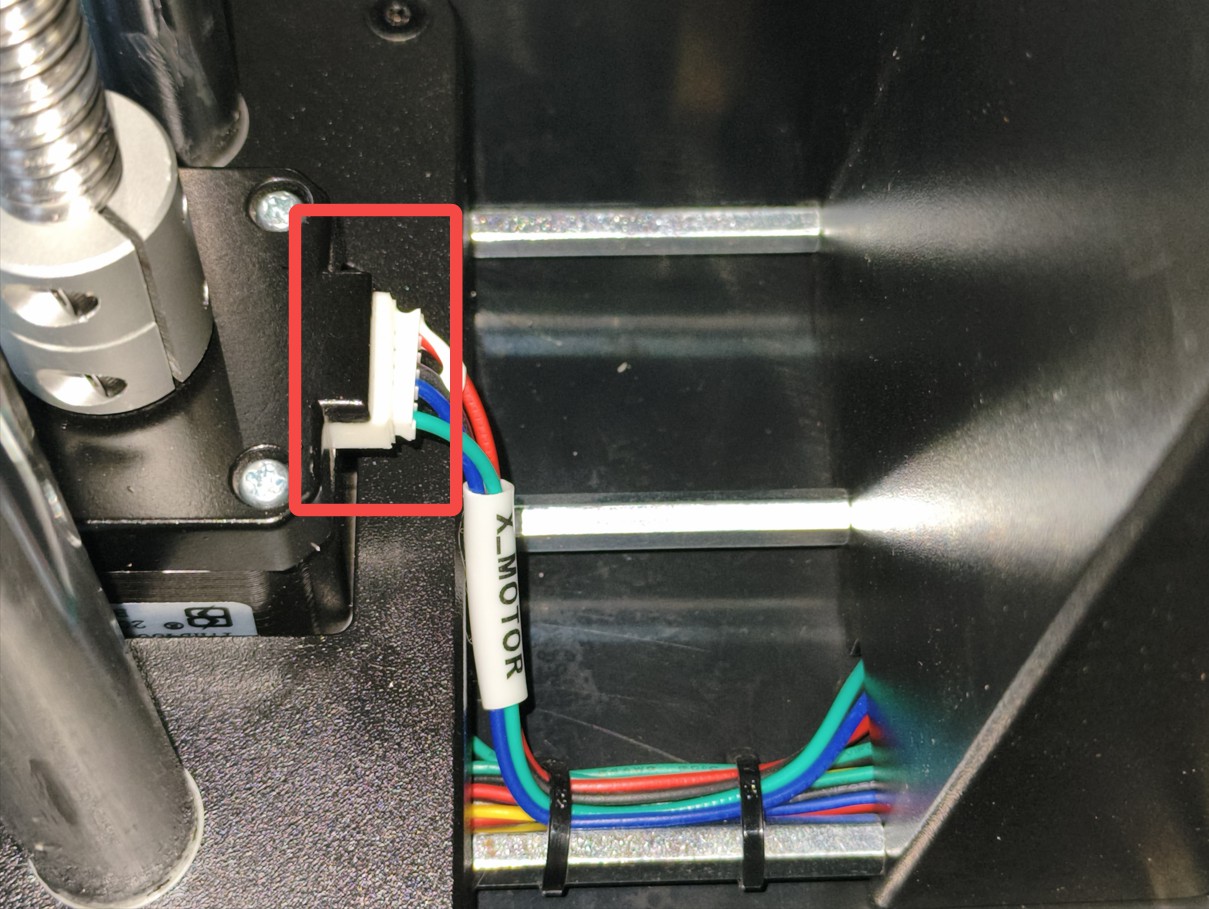
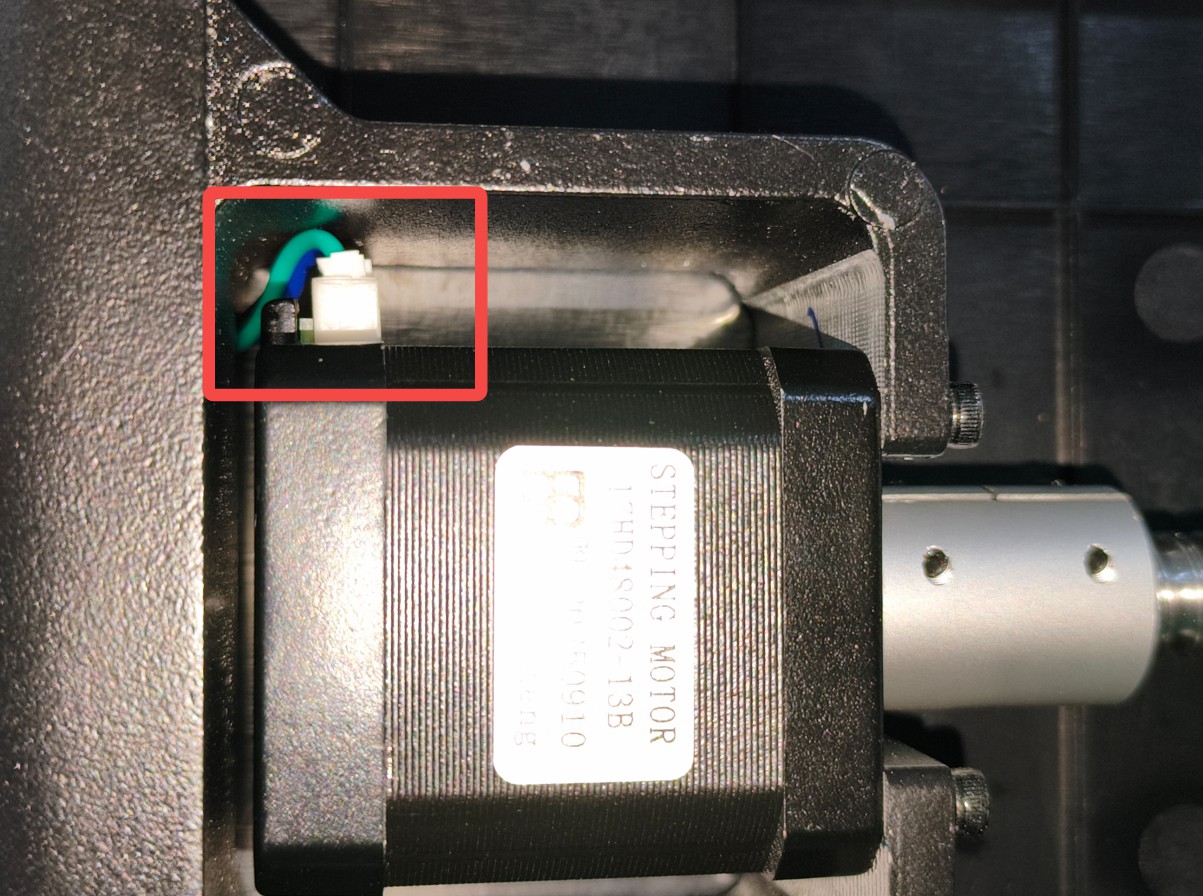
¶ Y Motor Connection Wires
The device needs to be placed sideways for inspection. Try reconnecting:
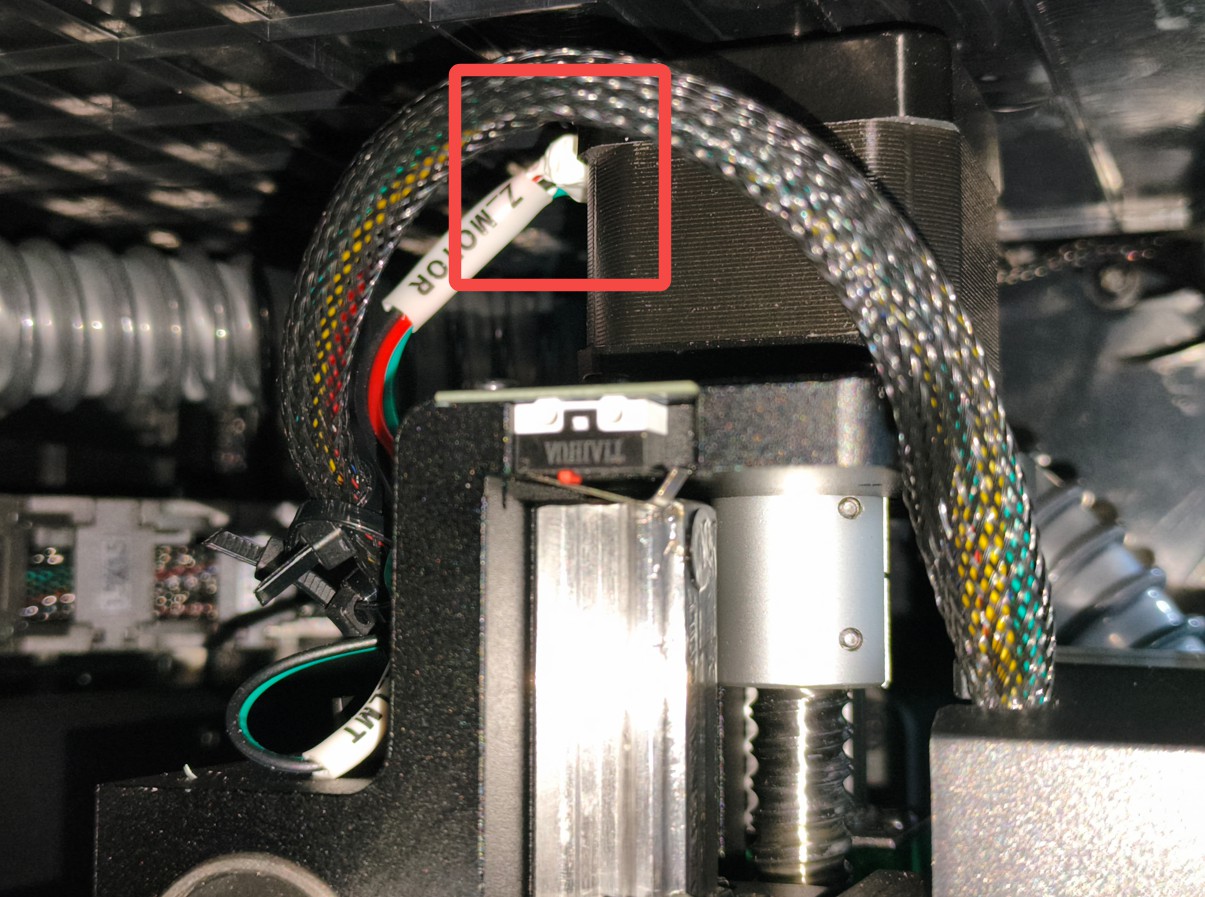
¶ Z Motor Connection Wires
Check the position as follows. Try reconnecting:
¶ 4. Check Lubrication Status
- Check if the guide rails and lead screws are insufficiently lubricated
- If not lubricated for a long time, noise and jamming will occur during movement
¶ 5. Restart the Device
- Turn off the device power, wait 30 seconds, and then restart
- Observe if the axis movement returns to normal
¶ 6. Restore Parameter Settings
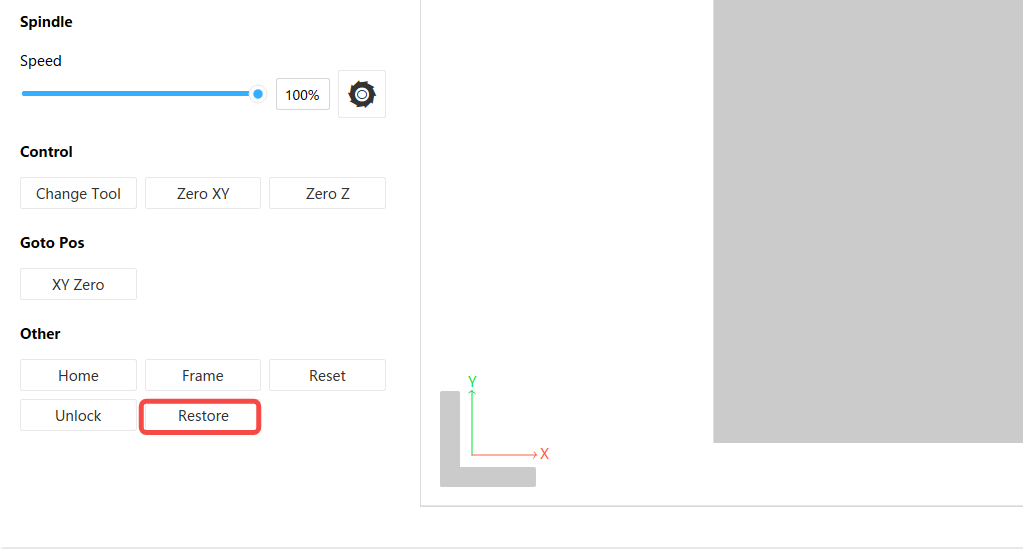
- If the movement still stutters with abnormal noise, try restoring the device to factory parameters. After connecting the device, try clicking the restore button after homing
¶ 7. Check Main Control Board Motor Wires
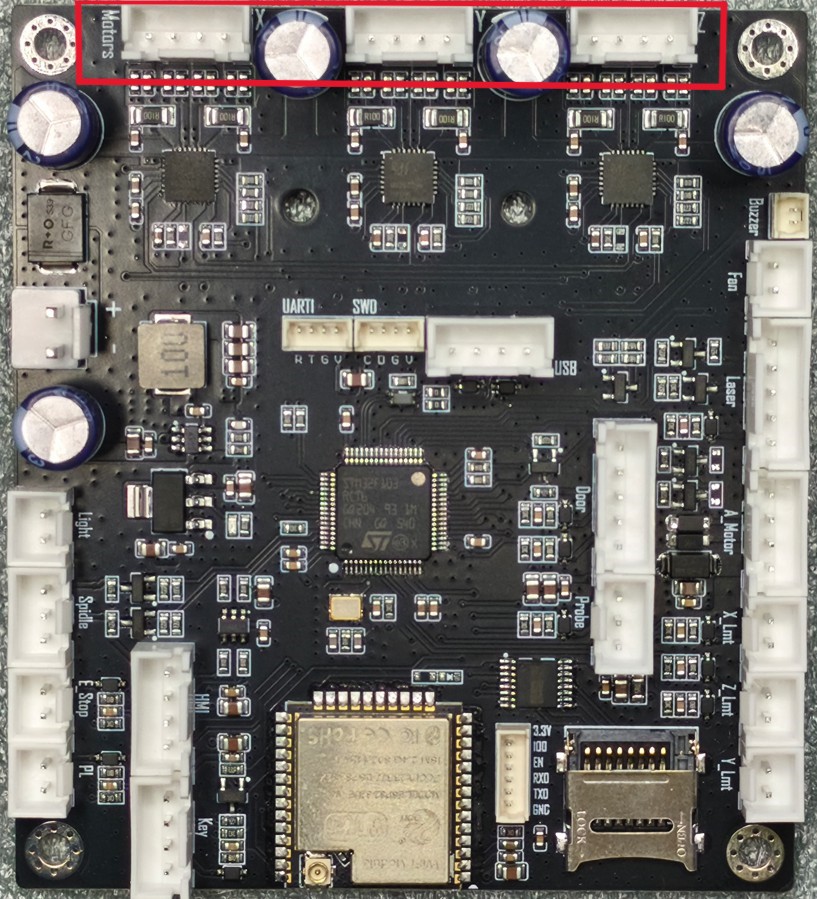
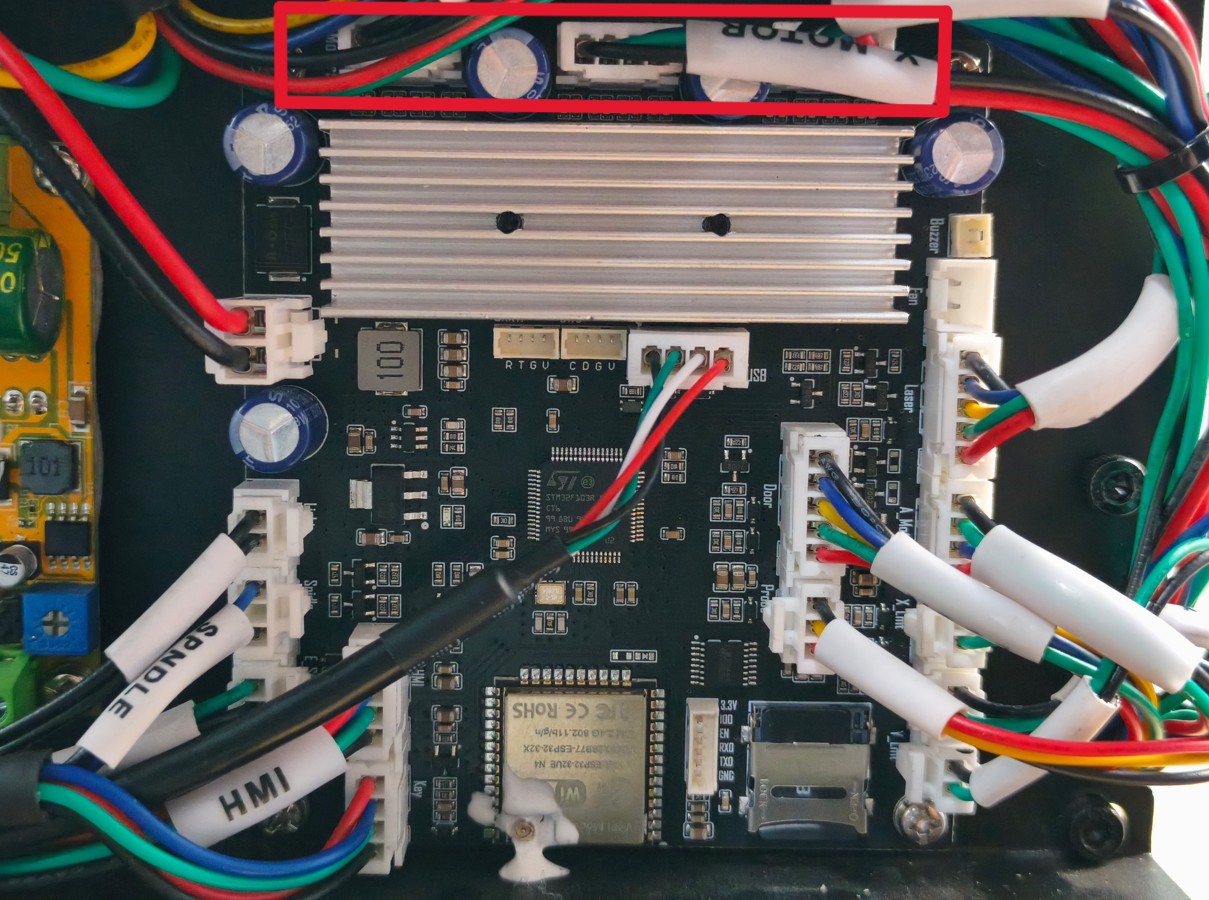
- Check if the motor connection wires on the main control board are loose or have poor contact. For cover removal steps, refer to the video for replacing the main control board HiMill D1S Replace Air Cabinet Components
¶ 8. Contact Technical Support
If none of the above methods work, please contact support@maxmaketech.com for further assistance